

Introduction
GitHub, as a vast repository of open-source projects and developer information, presents numerous opportunities for Open Source Intelligence (OSINT) gathering. This article explores some advanced techniques that can be used to extract valuable information from GitHub, as well as ways to protect against such methods.
Retrieving Emails from Commit Patches
One powerful technique involves using the '.patch' extension on commit URLs to retrieve email addresses associated with commits. Here's how it works:
- Append '.patch' to any commit URL
- The resulting page contains detailed information about the commit, including the author's email
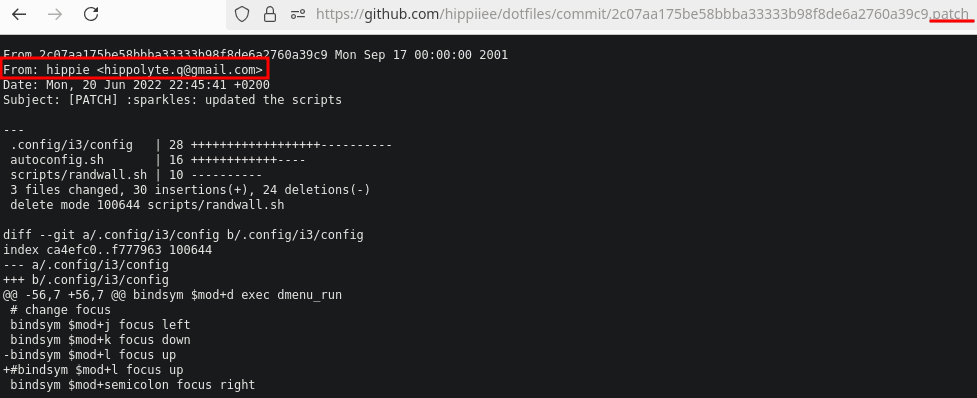
GitHub .patch email retrieval
To prevent this, users can:
- Use GitHub's email privacy settings to hide your email address
- Use a separate email for GitHub contributions
Commit Spoofing for Profile Retrieval
It's possible to spoof commits to retrieve any GitHub profile associated with an email address. You can have more information about this technique in this challenge Writeup : EsaipCTF 2022 - the-proof-of-the-malware-author
This works because of Git's fundamental design:
- Git allows users to set any name and email for commits
- GitHub associates commits with profiles based on the email used
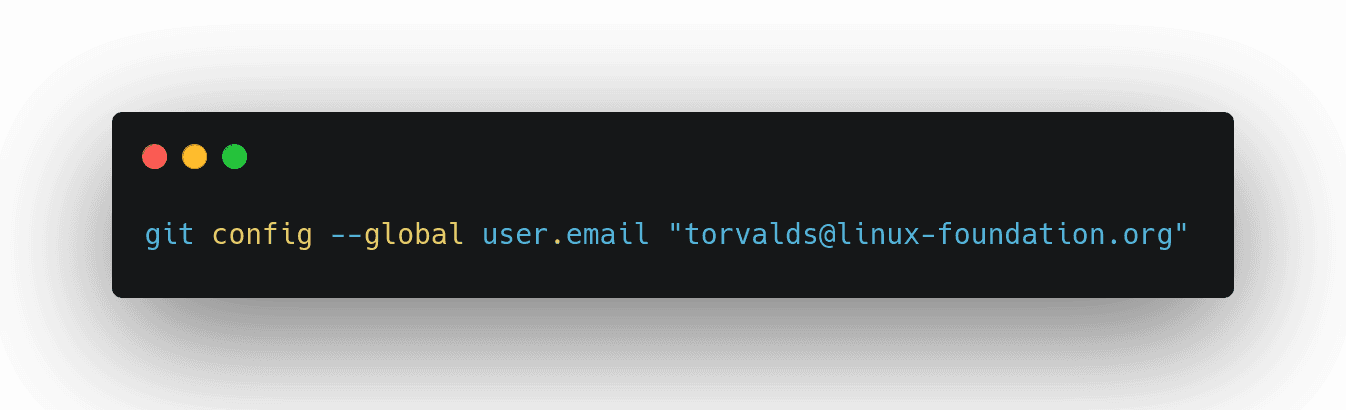
git config --global user.email
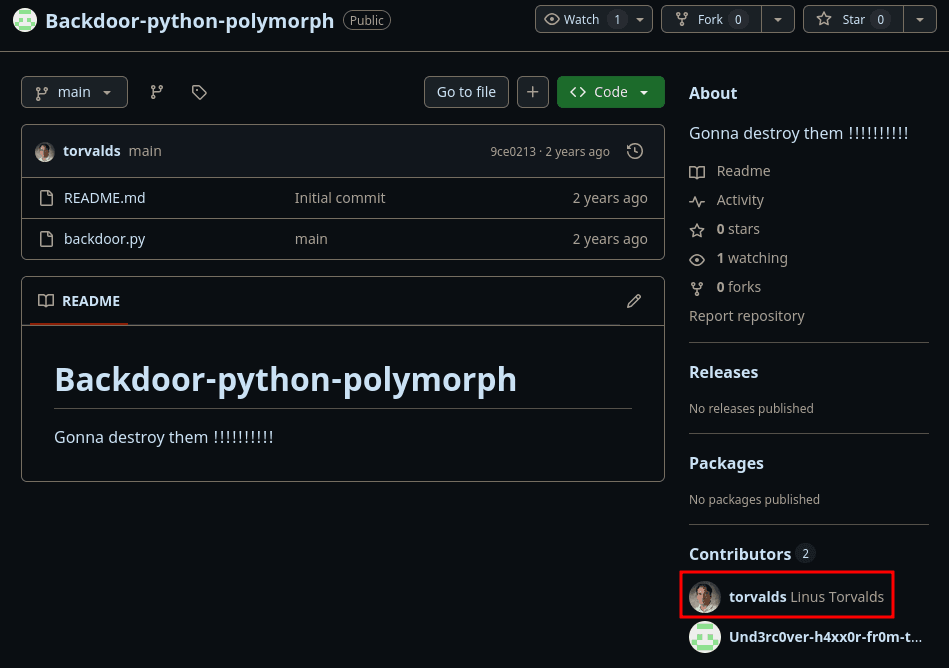
GitHub account spoofing
This behavior is inherent to Git's distributed nature, making it challenging for GitHub to prevent without altering Git's core functionality.
Utilizing GitHub API for Email Retrieval
GitHub's API can be leveraged to gather email addresses associated with users and repositories. Some methods include:
- Querying user profiles for public email addresses
- Analyzing commit data through API calls
- Exploring repository contributor information
You can hide your email address by changing your email visibility settings in your GitHub account.
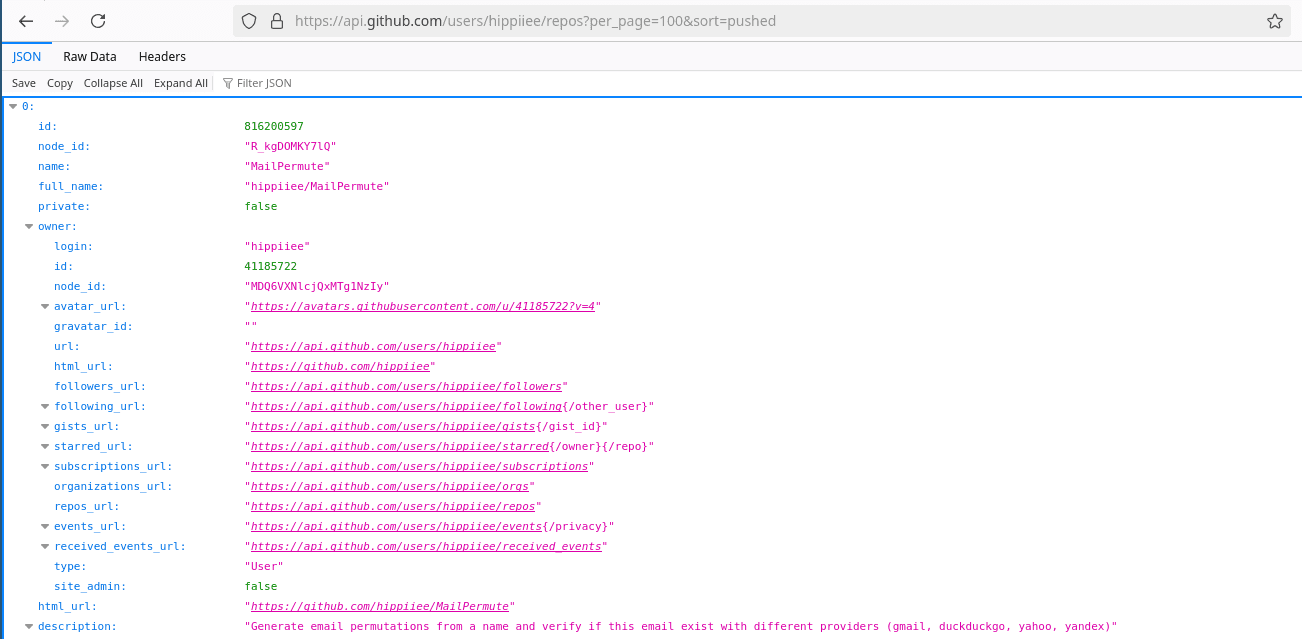
GitHub API
Public Key Retrieval
Adding '.keys' or '.gpg' to a GitHub user's profile URL can reveal their public keys. This information can be used to:
- Identify a person connecting to a server
- Verify the authenticity of signed commits
- Potentially track a user across different platforms
While public keys are meant to be shared, users should be aware of the implications of making them easily accessible.

GitHub public keys
OSINT Tools for GitHub
Here are my favorite tools and personal recommendations for GitHub:

Octosuite
A framework for gathering open-source intelligence on GitHub users, repositories and organisations
github.com

GitFive
Track down GitHub users
github.com

Osgint
Find information about a GitHub user
github.com

TruffleHog
Searches for secrets in Git repositories
github.com

grep.app
Allows searching across millions of Git repositories
grep.app